Five steps from "I need Lattices before the Black Cat skin rotates out" to a topped-up Marvel Rivals account. Most orders deliver in 3 to 6 minutes after payment confirmation during business hours. Most products are User ID only; some specific items may require account access, in which case the product page indicates that before checkout.
STEP 1
Find Your User ID
Open Marvel Rivals on PC, PlayStation, or Xbox → check the bottom-left corner of the main screen or your profile under the social menu. Copy your numeric User ID.
STEP 2
Pick Your Lattice Pack
Choose your Lattice denomination. Larger packs typically include bonus Lattices, so plan for the Luxury Battle Pass tier or skin set you're chasing.
STEP 3
Check the Product's Flow
Most Lattice packs use UID only. If a specific product requires account access for delivery, the product page indicates that before checkout. Follow the product's instructions.
STEP 4
Apply Coupon, Pay Your Way
Optional coupon or streamer code first. Then GCash, Maya, GrabPay, QRPH, Visa, Mastercard, PayPal, Wise, or USDT. Checkout price is final.
STEP 5
Assemble the Team
Lattices credit to your account in 3 to 6 minutes. Restart Marvel Rivals if the balance doesn't refresh immediately. Head to the Battle Pass or in-game store and grab that legendary hero skin.
⚠️ Important: Double-check your User ID before placing your order. Orders delivered to the correct User ID are not refundable. Since Marvel Rivals is cross-platform, the same UID works for PC, PlayStation, and Xbox; the Lattices land on whichever NetEase account that UID belongs to. If a product requires account access, follow the on-page instructions for that specific item and never share credentials outside the secure checkout form.
✔ User ID flow for most products, no password needed for standard top-ups
✔ Need help?
[email protected],
WhatsApp,
Facebook, or
FAQs.
Support hours 6 AM to 4 AM PHT, daily. Include your Order ID.
Description
About Marvel Rivals
🦸 Trusted Since 2018GCash, Maya, QRPH⚡ 3 to 6 Min DeliveryUser ID Only
Marvel Rivals Top Up Philippines: Cheap Lattices for Filipino Marvel Rivals Players
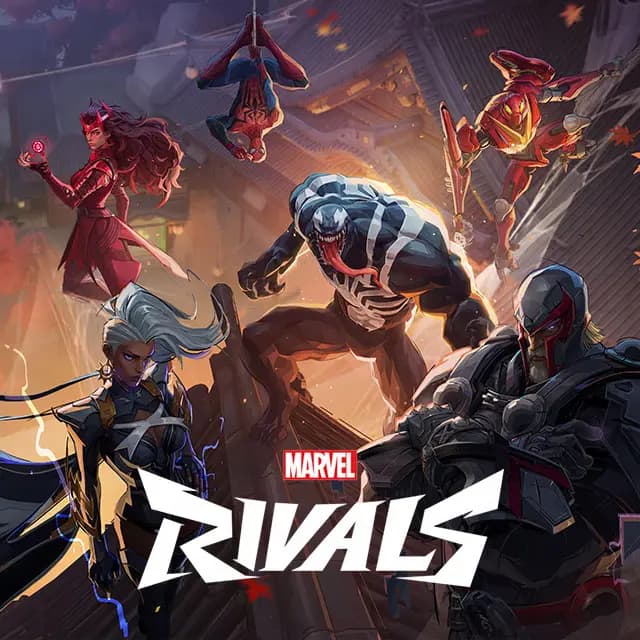
Grinding the Marvel Rivals ranked ladder as Spider-Man, Doctor Strange, or the new Black Cat in Season 7.5? GPDS Game Shop tops up Marvel Rivals directly to your NetEase account using your User ID. Most products deliver with UID only and no password needed; some specific items may require account access, in which case the product page indicates that before checkout. Stock up on Lattices, Marvel Rivals's premium currency, then spend them in-game on the Luxury Battle Pass, legendary hero skins, event bundles, and in-store cosmetics. Lattices convert 1:1 to Units in-game if you prefer the standard store currency.
Pay with GCash, Maya, GrabPay, QRPH bank transfer, Visa, Mastercard, PayPal, Wise, or USDT. Lattices land in your account within 3 to 6 minutes after payment confirmation during business hours, real-time PHP pricing tied to USD rate, trusted PH support since 2018. WhatsApp and Facebook from 6 AM to 4 AM PHT, daily.
Why Filipino Marvel Rivals Players Choose GPDS
User ID Only for Most Products
Standard Lattice top-ups need only your User ID, no password, no login, no server selection. Cross-platform: works for PC, PlayStation, and Xbox accounts on the same UID.
Multiple Lattice Denominations
From smaller Lattice packs for the Luxury Battle Pass up through bulk packs for full cosmetic sets. Larger denominations typically include bonus Lattices per pack.
Real-Time PHP Pricing
Pay in PHP via GCash, Maya, or QRPH at real-time exchange rates. No foreign-transaction fees on a PH-issued card going to NetEase's payment store, no card forex surcharge.
Clear Flow Labeling
If a specific product requires account access (not the standard flow), the product page indicates that before checkout. Otherwise, your hero roster, Battle Pass tier, Chrono Tokens, and Units stay yours.
Lattices, Units, and Chrono Tokens: How Marvel Rivals's Three Currencies Work
Lattices are Marvel Rivals's only paid premium currency. We name the product specifically as "Lattices" rather than just "credits" because the game has three different currencies and only one is purchasable. Spend Lattices on the Luxury Battle Pass for legendary hero skins and exclusive cosmetics, on standalone hero skins from the in-game shop, on event-limited bundles, and on cross-season unlocks.
Units are the standard in-store currency, the blue coins used to buy regular skins and items. You earn them through gameplay, daily missions, and Battle Pass progression. Lattices convert directly to Units at a 1:1 ratio in-game, so if you want more buying power on the standard store, convert after topping up. GPDS does not sell Units directly.
Chrono Tokens are the seasonal Battle Pass currency, the purple coins earned through daily and weekly missions. They expire at the end of each season (with one carry-over exception for Lattice-purchased Chrono Tokens). GPDS does not sell Chrono Tokens; they are gameplay-earned only.
Marvel Rivals Top-Up FAQ for the Philippines
How do I top up Marvel Rivals Lattices in the Philippines using GCash?
Enter your Marvel Rivals User ID, choose your Lattice denomination, and pay with GCash. Delivered within 3 to 6 minutes after payment confirmation during business hours. Maya, GrabPay, QRPH, Visa, Mastercard, PayPal, Wise, and USDT also work. Most products use UID-only delivery; if a specific item requires account access, the product page indicates that before checkout.
How do I find my Marvel Rivals User ID?
Open Marvel Rivals on your platform (PC, PlayStation, or Xbox). Your User ID is shown in the bottom-left corner of the main screen or in your profile under the social menu. Numeric, copyable. The same User ID works across all platforms since Marvel Rivals is cross-platform; you don't need to specify which console or PC you play on.
What can I actually buy with Lattices in-game?
The Luxury Battle Pass (full premium reward track with legendary hero skins and cosmetics), standalone hero skins from the in-game shop, event-limited bundles tied to each new season, and convertible Units for the standard store at a 1:1 ratio. You can also gift skins or bundles to friends using Lattices (paid currency only, not earned Units; 5-gift daily limit).
Will third-party Marvel Rivals top-ups get my account banned?
No. GPDS credits Lattices directly to your NetEase account using your User ID. No login, no IP-region mismatch, no modified client. Account standing, hero roster, Battle Pass tier, Chrono Tokens, Units balance, and ranked rating are unaffected. We never claim to be an official NetEase Games or Marvel Games partner.

.png&w=3840&q=75)